Announcements

Announcement

Announcements now live inside Next Lab, with a weekly email summary

We're happy to share that our product announcements now live inside Next Lab, so you can see what's new without leaving the app.

What's new

πŸ“£ A public announcements page
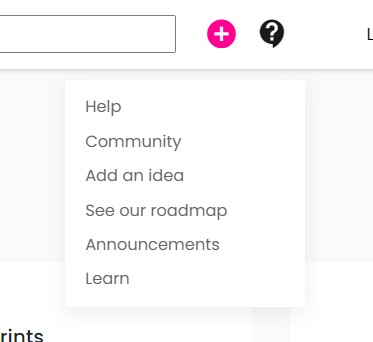
Every release, improvement and fix is now posted at Announcements in the top menu. No sign-in is needed to read it, so you can share a link with a teammate or stakeholder. Use the category tags (Announcement, Release, Improvement, Fix) to find what you care about.

πŸ“¬ A weekly summary in your inbox
Every Sunday night you'll receive one email with everything we published that week. It arrives in your preferred language, and each post has a link to read it online.

You get one email a week, not one per post. If you don't want these emails, use the Unsubscribe link at the bottom of any of them.

πŸ–ΌοΈ Richer posts
Announcements can now include images, videos and embedded YouTube, Vimeo and Loom links, so we can show you a change instead of only describing it.

What stays the same
Ideas and the roadmap are still on our feedback board, where you can suggest features and vote on what we build next.

We'll keep sharing what we ship here. Thanks for using Next Lab, and for all your feedback that shapes it.
Release

New Next Lab 2.40.2: Google Sign-In and Stronger Account Security

Version 2.40.2 of the New Next Lab is now available, introducing a faster authentication option and additional protection for user accounts.

Sign up and sign in with Google

Users can now create an account or sign in using their Google account. Our new Google OAuth integration is available on both the sign-up and sign-in screens through the Continue with Google button.

Existing users can also use this option. When the email address associated with their Google account matches the email address of their existing New Next Lab account, the accounts will be linked automatically.

Improved reCAPTCHA validation

We have also expanded our reCAPTCHA validation to the sign-in screen. When additional verification is required, users will now see a puzzle challenge designed to prevent automated and malicious sign-in attempts.

These improvements make accessing the New Next Lab faster, easier, and more secure.

Release

Next Lab 2.40.1: Improved reCAPTCHA Protection on Signup

We’re releasing Next Lab 2.40.1, a small but important update focused on strengthening the signup experience and preventing bot-generated accounts.

This release includes a retooling and fix of our reCAPTCHA v3 implementation on the signup screen. The update improves how Next Lab validates signup activity through the reCAPTCHA API, helping us better detect suspicious automated behavior while keeping the experience smooth for real users.

What’s Improved

With this update, we refined the way reCAPTCHA v3 is integrated into the signup flow. The API implementation has been adjusted to work more reliably and ensure that signup requests are properly evaluated before new accounts are created.

This helps protect the platform from unwanted bot signups and improves the overall security and quality of user registrations.

Why This Matters

Bot signups can create noise, affect data quality, and introduce unnecessary risk into the platform. By improving the signup protection layer, Next Lab becomes more resilient while maintaining a frictionless experience for legitimate users.

Because reCAPTCHA v3 works in the background, users can continue signing up without needing to complete extra visible challenges in most cases.

Release

New Next Lab 2.40.0: Voice Context for Sprint Reports and Clearer AI Report Consent

New Next Lab 2.40.0: Voice Context for Sprint Reports and Clearer AI Report Consent

We’re excited to announce the release of New Next Lab 2.40.0, focused on making report generation more useful, transparent, and aligned with customer security expectations.

This release introduces two important improvements to AI-powered reporting: the ability to add voice input as additional context for Sprint Report Generation, and a new AI Report Consent acknowledgment that clearly informs users when external AI providers are used to generate reports.

Voice Input as Context for Sprint Report Generation

Sprint Reports are more valuable when they reflect the full context of the work, including insights that may not always be captured in written notes, uploaded resources, or structured session content.

With this release, users can now add voice input as context when generating Sprint Reports.

This makes it easier to include spoken reflections, facilitator observations, team discussions, or additional background that can help the AI produce a richer and more accurate report. Instead of relying only on existing written materials, teams can now quickly capture important context verbally and include it as part of the report generation process.

This is especially useful when:

  • Facilitators want to add nuance after a sprint or working session
  • Teams have important discussion points that were not fully documented
  • Additional context is easier to explain verbally than write manually
  • Sprint Reports need to better reflect the reasoning, decisions, and insights behind the work

The goal is simple: make Sprint Reports more complete, more contextual, and easier to generate.

New AI Report Consent Acknowledgment

This release also introduces a new consent step for AI-powered report generation.

When a user attempts to generate a Session Report or Sprint Report for the first time, New Next Lab will now display a clear security and privacy notice explaining that report generation uses external AI providers to process report context.

These providers may include services such as OpenAI, Anthropic Claude, or Mistral.

The consent notice explains that contextual data, including session content, transcripts, uploaded resources, and report-related metadata, may be transmitted to external AI providers for processing in order to generate the report.

Users must explicitly choose whether to accept or decline this processing.

What Happens When Users Accept or Decline?

If a user accepts the AI Report Generation Notice, their consent is stored persistently, and report generation proceeds normally.

If a user declines, AI-powered report generation will remain unavailable, and the system will clearly explain that reports cannot be generated without consent to AI data processing.

Once consent has been accepted, users will not be asked again for future reports unless policies or provider configurations change.

This helps reduce repeated prompts while still ensuring that users are informed before using AI-powered reporting features.

Why This Matters

AI-powered reports are a powerful part of New Next Lab, helping teams turn sessions, sprints, transcripts, resources, and related context into useful summaries and insights.

At the same time, transparency matters.

Organizations need to understand when external AI providers are involved, what kind of information may be processed, and how that processing relates to platform privacy and security policies.

The new consent acknowledgment is designed to make this behavior clear before report generation begins, giving users and organizations greater visibility and control over AI-powered features.

Looking Ahead

Version 2.40.0 strengthens the foundation for more flexible, transparent, and trustworthy AI reporting in New Next Lab.

By combining richer report context through voice input with clearer consent for AI data processing, this release helps teams generate better reports while giving users the information they need to make informed decisions about AI-powered workflows.

We’ll continue improving the reporting experience with a focus on usefulness, transparency, and customer trust.

Release

What’s New in Next Lab 2.39.0: Improved Resources, Smoother Planning, and Key Fixes

What’s New in Next Lab: Improved Resources, Smoother Planning, and Key Fixes

We’ve released a new version of Next Lab to production, bringing several improvements that make it easier to design, manage, and reuse sessions, sprints, drills, and resources.

This update focuses on improving the planning experience, fixing issues reported by users, and making key workflows more reliable across devices.

Add resources while defining a new drill

You can now add resources directly when creating a new drill. This improvement makes the drill setup process smoother by allowing teams to attach the materials they need at the moment they are defining the activity.

Instead of creating a drill first and adding resources later, facilitators can now keep everything connected from the beginning.

Better support for copying sessions and sprints

We’ve improved the way sessions and sprints are duplicated so that related resources are carried over more reliably.

When copying or duplicating sessions and sprints, Next Lab now takes into account the resources connected to sessions and agenda items. This helps teams reuse existing work with less manual setup and fewer missing materials.

Improved agenda experience on touch screens

This release fixes an issue with drag-and-drop interactions on touch screens when working with session agendas.

Users on tablets and other touch-enabled devices should now have a smoother experience when organizing agenda items.

Translation fixes

We fixed an issue where some locales were showing β€œtranslation missing” messages.

This update improves the experience for users working in different languages and helps ensure the interface displays the correct translated content.

Report generation fix

We resolved an issue that prevented report generation from working correctly for a specific user account.

This fix improves the reliability of the reporting workflow and helps ensure users can generate the reports they need without interruption.

A smoother Next Lab workflow

Together, these updates make Next Lab more reliable and easier to use, especially for teams that rely on reusable learning structures, shared resources, multilingual support, and flexible agenda planning.

We’ll continue improving Next Lab based on user feedback and real production use, with a focus on making planning, facilitation, and reporting simpler for every team.

Release

πŸš€ Release 2.38.8 – Sprint Reports: from generation to collaboration

We’re excited to introduce Sprint Reports, a new way to consolidate, analyze, and share insights across all sessions within a sprint.

This release combines the initial Sprint Report experience with a set of powerful enhancements that make reports more intelligent, editable, and collaborative.


πŸ“Š Sprint Reports v1 – Automatic sprint summaries

You can now generate a Sprint Report that automatically consolidates insights from all sessions within a sprint.

When generating a Sprint Report:

  • Existing completed session reports are reused.
  • Missing session reports are generated automatically.
  • Miro dependencies are validated automatically.
  • Reports are processed in the background.
  • Email notifications are sent when the report is ready.
  • Public sharing links are available for stakeholders.

This allows teams to quickly obtain a sprint-level view without manually combining individual session reports.


πŸ›‘οΈ More resilient AI generation

Report generation is now more reliable.

If a configured AI provider experiences temporary issues, rate limits, or timeouts, the system can automatically fall back to another available provider, reducing report failures and improving completion rates.


πŸ“Ž Sprint Resources as AI context

Sprint Reports can now use Sprint Resources as additional context during report generation.

This gives the AI more information to work with and helps produce richer, more accurate summaries and recommendations.


✏️ Edit and customize Sprint Reports

After a Sprint Report has been generated, you can now:

  • Edit report content.
  • Refine sections.
  • Reorder sections.
  • Tailor the report to your audience.

This makes Sprint Reports not only generated by AI, but also easy to adapt and improve.


πŸ€– Multi-model AI suggestions

Need help improving a section?

Sprint Reports now support AI suggestions from all available providers:

  • OpenAI
  • Claude
  • Mistral

You can compare suggestions from different models and choose the version that best fits your needs.


🌐 Share insights across your organization

With public sharing, editable reports, and AI-assisted improvements, Sprint Reports are designed to become the central place where sprint learnings are captured, refined, and communicated.


πŸ™Œ Thanks

Thanks for your continued feedback and support. We're excited to see how teams use Sprint Reports to transform session outputs into actionable sprint-level insights. πŸš€

Release

πŸš€ Release 2.38.6 – Smarter, more interactive AI reporting

We’re excited to share Next Lab 2.38.6, a combined release that significantly expands the AI-powered reporting experience with more flexibility, interactivity, and smarter AI assistance.


✨ Regenerate report sections with AI

While editing a report, you can now re-generate individual sections with AI suggestions instead of manually rewriting them.

This includes support for suggestions based on:

  • Drill summaries
  • Key insights
  • Existing report context

πŸ€– Compare suggestions from multiple AI models

Report section suggestions are now even smarter.

Instead of receiving a single suggestion, you’ll now get one suggestion from each AI model:

  • OpenAI
  • Anthropic (Claude)
  • Mistral

This lets you compare different approaches and choose the version that best fits your report.


πŸ’¬ Dedicated AI chat for reports

Session reports now include their own interactive AI chat, similar to experiences like AI Focus Group and Super Seven.

This allows you to:

  • Ask follow-up questions
  • Refine report ideas
  • Explore specific insights
  • Discuss report content interactively

πŸ”„ Re-generate full reports

You can now re-generate an entire report without starting over from scratch.


πŸ“ Generate reports directly from sessions

Report generation is now available directly from the session view, making the workflow faster and easier.


🎨 Better editing experience

We improved the report editing workflow:

  • Automatic scroll when entering edit mode
  • Cleaner report actions and navigation
  • Better usability while refining reports

πŸ–ΌοΈ Better reporting from external resources

We improved support for richer report inputs:

  • Uploaded images
  • Text context
  • Miro board content

We also added guidance to help users generate better reports from Miro.


🐞 Fixes & improvements

This release also includes several UI refinements, usability fixes, and minor bug fixes to improve the overall reporting experience.


πŸ™Œ Thanks

Thanks for all the feedback that continues shaping AI reporting in Next Labβ€”we’re excited to keep making this experience smarter and more useful!

Release

πŸš€ Release 2.38.2 – Report security & customization

We’re excited to share Next Lab 2.38.2, focused on giving you more control and flexibility when working with AI session reports.

πŸ”’ Password-protected reports

You can now protect shared reports with a password, ensuring only the right people can access them.

🧩 Customize your report structure

Reports are now more flexible:

Reorder sections to match your preferred flow

Delete specific sections you don’t need

Add and shape content more freely

πŸ‘οΈ Control what is visible

Choose what to include in your report:

Show or hide drills

Show or hide resources

πŸ–ΌοΈ Improved resource display

Resources are now displayed more clearly, including better handling of images within the report.

πŸ™Œ Thanks

Thanks for your feedback

Release

πŸš€ Release 2.38.1 – More flexible report editing

We’re excited to share Next Lab 2.38.1, a small update that makes AI session reports more flexible and easier to manage.


✏️ Edit your reports

You can now edit titles and content in each section of your report, making it easier to refine and improve your results.


βž• Add new sections

Need more structure? You can now add new sections to expand your report and organize your ideas better.


πŸ—‘οΈ Delete reports

You can now delete reports when they are no longer needed.


⚠️ Note

Editing for drills and resources sections is not yet availableβ€”we’ll continue improving this in future updates.


πŸ™Œ Thanks

Thanks for your feedbackβ€”these improvements are part of making reports more flexible and useful for your workflows!

Release

πŸš€ Release 2.38.0 – AI-powered session reporting

We’re excited to introduce Next Lab 2.38.0, bringing a new way to generate AI-powered session reports from your sessions.

🧠 Generate reports with rich context

Create reports using:

Title + context (text or recorded audio)

Session resources

General attachments (images, PDFs, links)

Drill-level attachments

All inputs are combined to produce more complete, meaningful insights.

πŸŽ™οΈ Audio recording & transcription

Record audio directly when creating a reportβ€”it's automatically transcribed and included as context.

πŸ“Ž Flexible attachments

Add files at both:

Session level

Drill level

Attachments are processed and used by the AI to improve report quality.

βš™οΈ Background processing & smart actions

Reports are generated in the background:

β€œView Report” appears when completed

β€œGenerate Report” shows if not yet created or failed

Automatic redirect when ready

🌐 Public sharing

Each report is available via a public link, making it easy to share results.

πŸ“© Email notification

You’ll receive an email with the report link once it’s completed.

🎨 UX & i18n improvements

Improved file upload experience

Better handling of attachments

Multi-language support for file pickers and labels

πŸ™Œ Thanks

Thanks for the continuous feedbackβ€”this release unlocks a powerful new way to capture and share session insights.

Release

πŸš€ Release 2.37.0 – Real-time AI streaming & chat improvements

We’re excited to introduce Next Lab 2.37.0, bringing a major upgrade to how you interact with AI in the Lab, along with improvements in stability and overall chat experience.

⚑ Real-time AI responses (Streaming)

AI responses are now delivered using streaming across all supported models:

OpenAI

Claude

Mistral

This means you’ll see answers as they are being generated, instead of waiting for the full responseβ€”making interactions faster and more natural.

πŸ’¬ Improved chat experience

We enhanced how conversations are handled by sending the full chat context, allowing models to better understand the flow and provide more relevant, consistent answers.

πŸ› οΈ Chat reliability & performance

We addressed technical debt in LLM chats and improved internal handling of messages and services, resulting in a more stable and scalable experience.

πŸ”§ Fixes

Fixed an issue where the β€œNew Session” button in instigators home incorrectly triggered the tour.

General bug fixes and UX improvements across chat flows.

πŸ™Œ Thanks

Thanks for the continuous feedback

Release

πŸš€ Next Lab v2.36.0 Release Notes

What's New in Version 2.36.0

We're excited to announce the release of Next Lab v2.36.0! This update brings powerful new features, important improvements, and key bug fixes to enhance your experience. Here's everything that's included:

✨ New Features

πŸ€– AI-Powered Help & Support Chat

We've launched a brand-new AI-powered Help Support Chat directly within the platform!

Users now have instant access to all canonical definitions from the IIS Assistant

  • Available for both Leaders and Instigators tracks.
  • Interact with definitions and guidance through a clean, intuitive chat interface.
  • Get the answers you need, right when you need them β€” without leaving the platform

🌐 Mistral Agent with Web Search

We've integrated a Mistral Agent into our LLM chat experience, unlocking powerful new capabilities:

  • Web search is now enabled within Mistral-powered chats
  • Get real-time, up-to-date information directly from the web during your conversations
  • Enhances the depth and accuracy of AI-generated responses across the platform

πŸ› οΈ Improvements

πŸ“ Expandable Session/Challenge Statement Field

Based on your feedback (Frill Idea β€” thank you, community!), the Create Session / Challenge Statement field is now expandable:

  • Resize the field to comfortably write longer, more detailed statements
  • No more struggling with limited text space when crafting your challenges
  • A small change with a big impact on your workflow ✍️

πŸ“¦ Summary

✨ New

AI-Powered Help & Support Chat with IIS Definitions

✨ New

Mistral Agent with Web Search in LLM Chats

πŸ› οΈ Improved

Expandable Statement Field in Session/Challenge Creation

πŸ› οΈ Improved

License Expiration Notification Flow (30, 10, 3 days & expiration)

πŸ—‘οΈ Removed

New User Notifications to Former Team Members

πŸ’‘ Have feedback or ideas? Submit them through our Feedback button on the lab β€” your input directly shapes the future of Next Lab!

Thank you for being part of the journey! πŸ™Œ

Release

πŸš€ Release 2.35.0 – Expanded tour & multi-model AI comparisons

We’re excited to introduce Next Lab 2.35.0, bringing improvements to the guided tour experience and powerful new capabilities in the LLM chat.

🧭 Tour available from more places

The Lab tour can now be launched from several areas of the platform, including index, select, home, session pages, and drill lists, making it easier to explore the Lab from wherever you start.

▢️ Play Session guidance

The tour now includes steps explaining how to start a session and how the Play Session page works, helping users understand how to run sessions more easily.

πŸ€– Compare AI models side-by-side

We added a new chat mode where a single question is sent to multiple models, allowing you to compare responses from:

  • OpenAI
  • Claude
  • Mistral

This makes it easier to evaluate how different models respond to the same prompt.

🌐 Web search capabilities

OpenAI and Claude models now support web search, enabling them to bring more up-to-date information into their responses.

πŸ™Œ Thanks

Thanks for the feedback that keeps improving the Lab

Announcement

πŸš€ Release 2.34.0 – Guided tour with videos & smarter onboarding

We’re excited to introduce Next Lab 2.34.0, bringing a new guided onboarding experience designed to help users get started faster and with more clarity.

🧭 Step-by-step guided tour

We’ve added a new in-app tour that walks you through the key steps to create a session and add a drill. The tour guides you step by step, making it easier to understand the workflow inside the Lab.

πŸŽ₯ Video-enhanced guidance

Some steps in the tour can include short instructional videos, giving you visual guidance and helping you quickly understand what to do next.

πŸ“Š Insights through Mixpanel

All interactions with the tour are now tracked with Mixpanel, allowing us to better understand how users engage with onboarding and identify areas for improvement.

🌐 Full language support

The guided tour automatically adapts to all languages available in the Lab, ensuring a consistent onboarding experience for every user.

πŸ™Œ Thanks

Thanks for all the feedback that helped shape this feature.

Release

πŸš€ Release 2.33.0 – IIS stability & UX improvements

We’re excited to share Next Lab 2.33.0, focused on improving IIS reliability, response quality, and overall navigation experience.

πŸ€– IIS Assistant stability fix

We resolved an issue where the IIS AI Assistant could return an error when multiple questions were asked at the same time.

The assistant now handles concurrent interactions more reliably.

🧠 Improved prompt quality

We enhanced the LangChain prompts used by IIS, resulting in more consistent, structured, and relevant responses.

πŸ” User search pagination fix

We fixed pagination issues in user search to ensure results are displayed correctly across pages.

πŸ™Œ Thanks

Thanks for your continued feedbackβ€”keep sharing ideas and improvements.

Announcement

πŸš€ Release 2.32.0 – Agenda creation via IIS chat (Beta)

We’re excited to introduce Next Lab 2.32.0, which includes an experimental (beta) feature to create agendas directly through the IIS chat.

πŸ§ͺ Session Agenda creation via IIS chat (Beta)

You can now ask the IIS assistant to create an agenda through chat.

This feature is currently in beta, and we’re actively testing how well it fits into real workflows.

We’d love to hear from you:

Does this flow feel intuitive?

Is anything missing or unclear?

What would make agenda creation faster or more useful for you?

Your feedback will help shape how this feature evolves before a full release.

⚠️ Beta notice

Since this is an experimental feature:

You may encounter rough edges or incomplete flows.

We’ll be iterating quickly based on your feedback.

πŸ™Œ Share your feedback

Please share your thoughts and suggestions through the Frill boardsβ€”we’re excited to learn how this works for you and improve it together!

Release

πŸš€ Release 2.31.0 – LLM chat stability, deep links & UX improvements

We’re excited to announce Next Lab 2.31.0, focused on improving the stability, usability, and shareability of LLM chatsβ€”along with a few behind-the-scenes enhancements.

⏳ Clearer feedback when sending messages

We added a loader when sending messages, including scenarios with multiple image uploads, so it’s clear when content is being processed.

πŸ”§ LLM chat reliability improvements

We addressed technical debt in LLM chats to improve stability, error handling, and overall reliability across chat flows.

πŸ”— Shareable deep links for chats

LLM chats now support deep links, allowing you to share a conversation URL and reload the chat directly in the Lab.

πŸ“Š Better internal insights

We introduced internal tooling to help identify the most engaged users, enabling better understanding and future improvements.

πŸ™Œ Thanks

Thanks for all the feedback.

Release

πŸš€ Release 2.30.0 – LLM chat usability improvements

We’re excited to share Next Lab 2.30.0, focused on making LLM chats easier to use and manage.

πŸ“Ž Multiple file selection in LLM chats

You can now select and attach multiple files at once when chatting with LLMs, making it faster to provide context and work with several documents in a single conversation.

🏷️ Improved chat title generation

We improved how chat titles are generated and selected, helping you better identify and organize your LLM conversations.

πŸ™Œ Thanks

Thanks for the feedback that continues to shape these improvements

Release

Next Lab v2.29.0 is live β€” here’s a full snapshot of what’s new and improved.

Here is what’s new in this release.

Domain-based user search for admins:

Admins can now find users by email domain (e.g., all @gmail.com users) to manage groups more easily.

File attachments in LLM chats:

You can attach files to chats for quick reference within the conversation.

  • Attachments with previews: attached files display a preview in chat so you know what’s there at a glance.
  • Attachment icon and current file shown in chat actions: a clear attachment icon and the selected file are visible in the chat area.

Copy/paste in Home Chats:

Copy and paste content directly in Home Chats for faster sharing.

  • Chat history now shows related resources at the bottom: you can see resources tied to a chat without leaving the conversation.

Expandable Create Session/Challenge Statement field:

Long statements are easier to view and edit without losing context.

What’s improved

  • Readability and formatting: chat content is easier to read, with better overall readability and less visual clutter.
  • UI polish: badge counts and related UI hints feel more accurate and responsive.

What’s fixed

  • Better handling of problematic chats: the system now cleans up bad chats more consistently to keep conversations tidy.
  • Various reliability tweaks to keep chats snappy and predictable.

Notes

This release focuses on user-facing enhancements around search, attachments, and readability. If you have any feedback or run into anything unexpected, please reach out through the feedback button β€” we’d love to hear how these changes feel in your workflow.

Release

πŸš€ Release 2.28.0 – Smarter LLM chat & multi-model support

We’re excited to announce Next Lab 2.28.0. This release focuses on improving the LLM chat experience and expanding model options to make conversations clearer, more useful, and more flexible.

✨ Richer message formatting

LLM chat now supports formatted responses, making long answers, lists, and structured outputs easier to read and understand.

πŸ“‹ Copy button in chat

Each AI message now includes a copy button, so you can quickly reuse outputs in documents, tools, or workflows.

πŸ€– More models available

You can now choose to chat with additional models:

Claude is now available in the LLM chat page.

Mistral is now available in the LLM chat page.

This gives you more flexibility to compare responses and pick the assistant that best fits your use case.

πŸ™Œ Thanks

Thanks for all the feedback that helped shape these improvements.

Release

Next Lab Release 2.27.0

Next Lab Release 2.27.0

Including updates from 2.26.0

We’re excited to share Next Lab 2.27.0, a release that builds on 2.26.0 and focuses on making AI-powered workflows smoother, clearer, and more resilient. This update improves how AI Vision and Purpose agents behave, adds better feedback during long-running actions, and fixes several edge cases that could interrupt the user flow.

Below is a concise overview of what’s new and why it matters.


πŸš€ Better Feedback & Progress Visibility

We’ve significantly improved how users understand what’s happening while AI is working:

  • Progress tracking improvements for AI agents, including forward and backward step updates
  • Loaders and status messages when uploading resources or waiting for AI responses
  • Clearer loader messaging for AI suggestions and form submissions

These changes reduce uncertainty and make longer AI tasks feel faster and more transparent.


πŸ€– Smarter AI Vision & Purpose Flows

AI Vision received a major internal upgrade to improve reliability and continuity:

  • Asynchronous answer updates, ensuring smoother UI performance
  • Ability to continue a flow from the last answered question
  • Improved handling when navigating backward and forward through AI-generated steps
  • Fixes for AI suggestions when revisiting previous answers
  • Confirmation flags sent from the backend so the frontend always reflects the correct AI state

Overall, AI Vision now behaves more predictably, even when users revisit or revise earlier inputs.


πŸ”„ Improved Navigation & UX Details

Several smaller UX improvements add up to a more polished experience:

  • Forward and backward navigation in AI Vision assistance
  • Translated button labels for Previous, Next, and Back to Current
  • Cleaner modals by removing distracting or unclear indicators
  • Markdown parsing support for constituent values
  • Resource disclaimers added for clarity and trust

πŸ›  Stability, Fixes & Under-the-Hood Improvements

This release also includes important stability and maintenance work:

  • Fail-safes to prevent errors from nil or missing budget values
  • Budget field constraint adjustments in opportunity forms
  • Refactored job and state-management logic for AI Vision
  • Cleaner result broadcasting and async job handling
  • Test coverage improvements

These changes don’t always show up visually, but they make the platform more robust and easier to extend.


βœ… Included Sprint Work

This release combines completed work from Sprint 2.26.0 and 2.27.0, including:

  • Resource upload loaders
  • Opportunity budget bug fixes
  • Automated AI purpose start logic
  • Review feature improvements
  • Documentation updates

What’s Next

This release lays the groundwork for even richer AI agent experiences, especially around progress visibility, async workflows, and editing AI responses without losing context.

As always, we’d love your feedback β€” and we’re already building on this foundation for the next iteration of Next Lab.


Release: 2.27.0 Includes changes from 2.26.0

Release

πŸš€ Release 2.26.0 – Resource handling, AI context & smoother agent workflows

We’re excited to share the latest improvements included in Next Lab 2.26.0.

This release focuses on improving the handling of uploaded resources, streamlining agent workflows, and enhancing the experience during AI-guided steps.

πŸ“Ž Better resource upload experience

When uploading a file in an Opportunity or Small Bet, the interface now displays a loader, making it clear that the upload is in progress and preventing confusion during processing.

πŸ’° Opportunity budget flexibility

Users can now update an Opportunity even when the portfolio budget is lower, avoiding unnecessary errors when changes are unrelated to budgeting.

⚑ Faster agent setup

Clicking β€œAdvance with AI” now automatically starts the agent session, providing a smoother and faster experience.

πŸ“„ Resource disclaimer

A new disclaimer informs users that uploaded resources are processed by AI models and used as context for suggestions and reasoning.

🧹 Cleaner agent responses

Agent outputs previously returned in HTML are now parsed for a cleaner, more readable display.

πŸ“Š Vision & Purpose progress indicator

The Vision & Purpose agent now includes a progress bar to make it clear how far along you are in the guided Q&A workflow.

πŸ” AI context expanded with Small Bet resources

Resources added to Small Bets are now interpreted and included as part of the AI context, enabling more grounded suggestions and better use of agent capabilities.

πŸ™Œ Thanks

Thanks for the feedback that guided these improvements β€” keep sharing ideas and issues through the boards!

Release

πŸš€ Release 2.25.0 – Richer context, smarter agents & stability fixes

We’re excited to announce Next Lab 2.25.0. This release focuses on strengthening how context is built and consumed by agents, enabling more accurate reasoning and better answersβ€”along with important fixes in the Vision and Purpose A agent.

πŸ“Ž Resources as part of the Opportunity context

We made major improvements to how resources are added to an Innovation Opportunity.

Opportunity resources are now interpreted and included as part of the AI context, allowing agents to reason with richer, real inputs instead of isolated prompts.

🧠 Better LLM suggestions for Vision & Purpose

Opportunity resources now directly feed the LLM suggestions that help answer Vision & Purpose questions.

This means the agent can generate responses that are more grounded, consistent, and aligned with the actual context of the Opportunity.

🧠 Vision & Purpose Agent improvements

We improved the Vision & Purpose Agent to address reliability issues and enhance the quality of its reasoning.

The agent now performs better when synthesizing context and providing strategic guidance.

🚦 Triage Agent fixes

We fixed errors that could occur when applying Triage recommendations to an Opportunity.

The Triage flow is now more stable and reliable when users apply agent-generated recommendations.

🐞 Additional fixes

This release also includes a set of additional bug fixes and small improvements reported through Frill and internal testing to improve overall stability.

πŸ™Œ Thanks

Thanks for your continued feedbackβ€”keep sharing your ideas and issues through the boards!

Announcement

Release 2.24.0: Reliability, Safer Onboarding, and a Better Queue for Next Cycle Agents

We’re shipping Release 2.24.0 with a focus on the unglamorous-but-essential stuff: clearer operational signals, safer user onboarding, and a backend upgrade that sets us up for smoother scaling.

This release includes five key improvements:

  • Better critical error notifications to Slack
  • A tighter review flow for unusual/new users
  • Next Cycle Agents moved onto the new queue architecture
  • Updates to our user confirmation review process

Below is a quick walkthrough of what changed and why it matters.

1) Clearer critical error reporting (with Slack notifications)

When something breaks, the first job is knowing it brokeβ€”and knowing it fast.

In 2.24.0 we improved how critical errors are sent to Slack so alerts are more dependable and easier to act on. That means fewer β€œsilent failures,” less guesswork, and faster time-to-triage when something is genuinely urgent.

Why it matters: better signal β†’ faster response β†’ less downtime.

2) Improved review for strange/new users

We’ve made changes to how we review unusual or newly-created users. The goal is simple: catch edge cases earlier while keeping the process lightweight for the team.

This update helps us identify β€œdoesn’t look right” patterns sooner, while maintaining a consistent, repeatable review workflow.

Why it matters: safer onboarding and fewer support escalations later.

3) Vision and Purpose Agent upgraded to the new queue architecture

One of the bigger internal changes in 2.24.0 is migrating the Next Cycle Agents to our new queue architecture.

Queue systems are the plumbing of many modern apps: they manage background work, smooth out load spikes, and provide a reliable way to process jobs asynchronously. Moving the Next Cycle Agents to the new queue design is an investment in stability and throughputβ€”especially under heavier usage.

Why it matters: improved performance under load and a cleaner foundation for future features.

4) Updated user confirmation review

We also refined the user confirmation review workflow. This is about making confirmations easier to validate and reducing ambiguity during review.

Why it matters: fewer confusing edge cases for reviewers and more consistent decisions.

What to watch after updating

As always, we’ll be keeping an eye on a few areas post-release:

  • Slack alert volume and formatting (ensuring signal stays high)
  • Any friction in the new/strange user review flow
  • Next Cycle Agents job processing latency and retry patterns
  • Confirmation review throughput and consistency
  • A drop in RecordNotUnique / UniqueViolation occurrences

Release 2.24.0 is about building a smoother, safer, and more reliable platformβ€”incrementally, but meaningfully. If you notice anything unexpected after the update, or if you have ideas for improving these workflows further, we’d love to hear it.

Release

πŸš€ Release 2.23.0 – Performance upgrades, smarter suggestions & UX improvements

We’re excited to share the updates included in Next Lab 2.23.0, focusing on performance, clearer AI suggestions, improved notifications, and several UX enhancements.

⚑ LLM suggestions moved to background jobs

LLM-powered suggestions are now processed through Sidekiq, making the experience faster and more reliable while reducing timeouts.

πŸ’Ύ Loader added when saving Agenda Items

Saving an Agenda Item that includes uploading a resource could take a few seconds.

We’ve added a loader indicator so it’s clear that the action is being processed.

πŸ“¨ Improved announcement delivery

Announcements published in Frill will now be emailed Sunday nights, reducing load during peak usage and improving overall Lab performance.

🧼 Fix: malformed emails

We corrected user accounts that had invalid or incomplete email formats to ensure proper delivery of system notifications.

πŸ€– Better agent suggestions in Opportunities

Suggestions now include more detailed reasoning from the agent.

Improved context sent to the agent to reduce β€œnot enough context” responses.

🌐 Translations added to Triage & Vision flows

All fixed UI elements (buttons, labels, static text) are now translated across the Triage and Vision flows for a more consistent experience.

🀝 AI Assistant improvements

You can now:

Ask the assistant to create an Opportunity with a description.

Ask it to edit an existing Opportunity description.

Benefit from several fixes to improve reliability and reduce errors.

🐞 Additional fixes

This release also includes a number of general bug fixes reported through Frill and internal testing.

πŸ™Œ Thanks

Thanks for all your feedbackβ€”keep sharing your ideas and improvements through the boards!

Release

Release 2.22.1 β€” New Features, Improvements & Fixes

This release bundles all enhancements originally included in 2.22.0, plus additional fixes and refinements introduced in 2.22.1.

✨ New Features & Improvements

Vision & Purpose Agent Integration

Connected the Vision & Purpose Agent API with Next Lab Innovation Opportunities to provide richer context and more accurate guidance.

ChatGPT-like Page in the Lab

Added a conversational interface that allows users to interact with agents in a chat-style workflow.

Performance & Architecture Upgrades

Refactored the agent communication stack β€” including timeouts, retries, streaming, and connection pooling β€” resulting in better latency, reliability, and scalability.

🐞 Bug Fixes & Stability

Corrected spelling issues in the SVA Matrix.

Fixed an issue where newly published drills were not appearing correctly.

Repaired the Related Drills button in the drill description.

Added a safeguard to ensure test users are no longer logged to Slack, keeping notifications clean.

Added a flag to prevent new-user Slack notifications when running in development mode.

Improved how critical errors are sent to Slack and refined internal error-handling flows.

Release

πŸš€ Next Lab v2.21.0 Release

This release brings important improvements and refinements to make your workflow smoother and communication clearer inside the Next Lab.

🌐 Next Cycle Agents API Integration

We’ve connected the Next Cycle Agent API with the Next Lab β€” paving the way for automated cycle management in upcoming releases. This integration sets the foundation for more seamless coordination between your Next Lab Innovation Opportunities and the Next Cycle, try our first integration: The Triage Agent that will help you place an innovation opportunity inside the Next Cycle after a few simple questions.

πŸ“’ Announcement Emails

Announcement emails now include a direct β€œView announcement” link, making it easier for you and your team to jump straight into the details without hunting through your inbox.

βœ‰οΈ Clearer Email Sender Details

All Lab-generated emails now display a recognizable sender name: Next Lab Updates, helping you quickly identify official communications and avoid confusion.

πŸ‘₯ Team Licensing Clarity

We’ve improved clarity around team licensing β€” specifically what happens to a user license when a member adds another user to a team. This helps ensure transparency and smoother team management.

That’s it for this release!

As always, we’re continuously improving Next Lab to support your teams and automate more of your product cycles. Stay tuned.

Release

πŸš€ Release V2.20.0 – Personalized emails & richer Opportunity reports

We’re excited to announce Next Lab 2.20.0. This update personalizes announcement emails and improves resource visibility in Opportunity reportsβ€”plus a key AI bug fix.

Personalized announcement emails

  • Emails are now sent per recipient (no BCC), greeting each user by name and using their preferred Lab language. The Unsubscribe link auto-detects the address and includes a one-click revert if you change your mind.

Painsizer AI fix (Pain Hypo Generation)

  • Resolved an issue where AI-based Painsizer generation could fail under certain conditions.

Opportunity Full Report: resource links

  • The Full Report now includes direct links to:
  • The Small Bets resources associated with that Opportunity.

πŸ™Œ Thanks

Thanks for the continuous feedbackβ€”please keep it coming!

Release

πŸš€ Release V2.19.0 – Smarter search, email unsubscribe & UX fixes test

We’re excited to announce Next Lab 2.19.0. This update improves how you find users, adds unsubscribe controls to emails, polishes team-join messaging, and ships a round of stability fixes.

Case-insensitive user search

  • Searching by name or email is now case-insensitive, improving match rates and reducing missed results.
  • Email unsubscribes: Release/announcement emails now include an Unsubscribe option so anyone can opt out of future updates.
  • Bug fixes (Frill reports)

We resolved multiple issues reported via Frill and internal QA to improve overall stability and consistency.

πŸ™Œ Thanks

Thanks for the continuous feedbackβ€”please keep it coming through the boards!

Release

πŸš€ Release V2.19.0 – Smarter search, email unsubscribe & UX fixes

We’re excited to announce Next Lab 2.19.0. This update improves how you find users, adds unsubscribe controls to emails, polishes team-join messaging, and ships a round of stability fixes.

Case-insensitive user search

  • Searching by name or email is now case-insensitive, improving match rates and reducing missed results.
  • Email unsubscribes: Release/announcement emails now include an Unsubscribe option so anyone can opt out of future updates.
  • Bug fixes (Frill reports)

We resolved multiple issues reported via Frill and internal QA to improve overall stability and consistency.

πŸ™Œ Thanks

Thanks for the continuous feedbackβ€”please keep it coming through the boards!

Release

πŸš€ Release V2.18.0 – Focus Group clarity & UX polish

We’re excited to announce Next Lab 2.18.0. This update focuses on clarity in the AI Focus Group and a series of UX refinements, plus a bunch of community-reported bug fixes.

AI Focus Group: show the tested hypothesis

You can now see the hypothesis being tested directly in the Focus Group view for better context and evaluation.

UI layout tweaks

We streamlined button placement in key screens to reduce friction and misclicks.

Clearer action texts

Several labels and messages were rewritten to better describe what each action does.

Bug fixes (Frill reports)

We fixed multiple issues reported via Frill to improve overall stability and consistency.

πŸ™Œ Thanks

Thanks for the continuous feedbackβ€”please keep it coming through the boards!

Release

πŸš€ Release V2.17.0 – Email Notifications + UX Improvements

We’re excited to announce the release of Next Lab version 2.17.0! From now on, every time we publish an announcement in Frill, an automatic email is sent to all Lab users. We also applied several community-requested improvements and text/UX corrections.

βœ‰οΈ New: Automatic Emails on Announcement Publish

  • When a new announcement is published in Frill, the system now automatically sends an email to all active Lab users.
  • Benefits: better communication reach, fewer missed updates, and more visibility into releases.
  • The email includes the title, summary, and a direct link to the full announcement.
  • If you don’t want to receive these emails, let us know and we’ll update your preferences.

πŸ”§ Improvements (from idea boards)

  • Linking Next Opportunity – Improvements: Clarified copy and links; minor validations to reduce confusion in linking flows.
  • Improve Sharing – Next Tools: Simpler text and button hierarchy; clearer tooltips for sharing actions.
  • System messages – correct language: System messages now display in the appropriate language

πŸ™Œ Thanks

Thanks for the feedbackβ€”keep it coming in the boards!

Release

Next Lab v2.16.0: Editable Spendings, History & Descriptions

We’re excited to announce the release of Next Lab version 2.16.0! This update focuses on giving teams finer control and traceability over spendings inside opportunitiesβ€”plus a round of stability improvements based on your feedback.

What’s New in v2.16.0

Edit Spendings

You can now edit spendings directly. Make quick corrections or updates without leaving the context of your work.

Spendings History in Opportunities

Each opportunity now shows a complete history of spendings so you can track changes over time and keep your financial trail transparent.

Descriptions for Each Spending

Add a description to every spending to capture intent, context, or any notes your team needs for future reference.

πŸ›Bug Fixes & Stability

We also fixed several bugs reported via Frill to ensure a smoother, more reliable experience across the app.

Release

Next Lab v2.15.0: Enhanced Portfolio Insights and Improved User Experience

We're excited to announce the release of Next Lab version 2.15.0! This update brings significant improvements to portfolio management and innovation tracking, along with important bug fixes based on your valuable feedback.

What's New in v2.15.0

πŸ” Comprehensive Portfolio View by Default

The Portfolio view now provides a complete picture right from the start. When you open the Portfolio view, all portfolios are selected by default, giving you immediate access to a comprehensive Assumptions vs Knowledge graph that spans all innovation opportunities across your entire portfolio ecosystem. This holistic view makes it easier to identify patterns, gaps, and opportunities at scale without manual selection.

πŸ“Š Enhanced Innovation Opportunities Table

We've given the innovation opportunities table a significant upgrade:

Clear Headers: The table now features properly labeled headers for better data organization and readability

Innovation Cycle Tracking: Each opportunity now displays its current stage and step within the innovation cycle, providing instant visibility into where each initiative stands in your innovation pipeline

These improvements make it easier to track progress, prioritize resources, and maintain oversight of your innovation portfolios' momentum.

πŸ› Bug Fixes and Stability Improvements

Your feedback through Frill (our feedback button) has been invaluable in identifying and resolving several issues that were impacting user experience. We've addressed these reported bugs to ensure a smoother, more reliable platform experience.

Release

Next Lab 2.11.0: Enhanced Collaboration and AI-Powered Development

We're excited to announce the release of Next Lab version 2.11.0, packed with powerful new features that make collaboration easier and innovation more accessible. This release represents a significant milestone not just in functionality, but also in how we're building the future of software development.

What's New in 2.11.0

πŸ”— Chat Links: Share Your Conversations

One of the most requested features is finally here! You can now generate direct links to your chats, making it easier than ever to reference important discussions or share insights with colleagues. For teams, this feature becomes even more powerful – team members can now share team chats seamlessly, ensuring everyone stays in the loop on critical conversations and decisions.

πŸ”„ Flexible Innovation Opportunity Management

We've added the ability to move Innovation Opportunities between My Work (MW) and team spaces, giving you more control over your project organization. Whether you want to collaborate on a personal idea or take ownership of a team initiative, the transition is now smooth and intuitive.

Important note: You can only move an Innovation Opportunity from a team back to My Work if you were the original creator. This ensures proper ownership and maintains the integrity of collaborative work.

πŸ› Quality Improvements

Behind the scenes, we've addressed several bug reports to make your Next Lab experience more reliable and smooth. These fixes contribute to a more stable platform that you can depend on for your innovation work.

The AI Revolution in Our Development Process

This release marks a groundbreaking achievement in our development methodology. 90% of this sprint's code was written by autonomous AI agents – a testament to how far AI-assisted development has come and our commitment to pushing the boundaries of what's possible.

Our AI Development Journey

We experimented with multiple approaches to AI-powered coding throughout this sprint. While not every method proved successful, we discovered several techniques that worked exceptionally well. This iterative process of testing and refinement has given us confidence that AI agents can handle complex development tasks while maintaining code quality and reliability.

The Human Touch Remains Essential

While our AI agents excelled at code generation, our deployment process remains 100% human-managed. This hybrid approach ensures that we maintain the highest standards of quality control and system reliability. However, we're already planning to evolve this process – our goal for the next sprint is to introduce AI assistance into deployment workflows as well.

As always, we value your feedback. Let us know how these new features work for you and what you'd like to see in future releases. Together, we're building the future of innovation platforms – with a little help from our AI friends.


Next Lab 2.11.0 is available now. For technical support or feature requests, please contact our team through the usual channels.

Release

Introducing Version 2.10.0: Enhanced AI Integration and Critical Bug Fixes

We're excited to announce the release of version 2.10.0, packed with intelligent new features and important stability improvements that will streamline your workflow.

What's New

Smarter AI Chat in Instigators

Our AI chat feature just got a major upgrade. When the AI suggests drills during your conversations, it now automatically generates direct links to those drills, making it incredibly easy to jump straight into the action. No more hunting through menus or searching for the exercises you need.

Enhanced Session Generation

Planning sessions is now even more intuitive. When you ask the AI to generate a session, it will intelligently suggest flow drills for both the beginning and end of your session, helping you create more structured and effective training experiences.

Bug Fixes and Stability Improvements

This release addresses several critical issues that have been impacting user experience:

  • Session and Sprint Management: Fixed issues with moving sessions or sprints to folders, ensuring your organizational workflow runs smoothly
  • S7 Team Functionality: Resolved S7 compatibility issues that were affecting team operations
  • Board Member Generation: Fixed the S7 board member generation process, which now works correctly when generating members individually
  • Additional Fixes: Multiple other stability improvements and minor bug fixes throughout the platform

As always, we're committed to continuously improving your experience. If you encounter any issues or have suggestions for future updates, don't hesitate to reach out to our support team.

Happy innovating!

Announcement

πŸš€ Project Update v2.9.1 is Live!

We’re excited to share that version v2.9.1 is now live! This release focuses on improving navigation, team interaction, and chat creation across workspaces.

πŸ”§ What's New

Fixed scroll issue that prevented reaching the last team on the list.

Corrected redirection after accepting/rejecting team invitations or requesting to join a team β€” now it redirects properly to the Select Index page.

Chat title is now generated when starting a new conversation in Instigator or Leader mode, even if you are not inside a workspace.

Editing a session from the Play page no longer changes the active workspace.

Chart interactions fixed β€” switching between metric types or chart views won’t cause incorrect redirections or context loss anymore.

βœ… Why It Matters

These fixes make the platform:

More stable when navigating across workspaces.

More intuitive when managing teams or sessions.

More reliable when creating or switching chats.

πŸ’¬ Try it and share your feedback

Feel free to explore the improvements β€” and if anything doesn’t behave as expected, let us know. Your feedback helps us keep evolving the platform smoothly.

Release

πŸš€ The Next Lab v2.9.0 is Live!

We're excited to announce that version 2.9.0 is now available! This marks our biggest feature rewrite since the launch of The Next Lab, bringing you a faster, more reliable, and more durable team management experience.

What's New in This Release

While this version focuses heavily on under-the-hood improvements rather than flashy new features, the significant code rewrite delivers substantial benefits to your daily workflow.

πŸ”§ Major Improvements

- Multi-tab Support: You can now work seamlessly across multiple tabs

- Enhanced Team Management: Completely rewritten team handling system for better performance and reliability

- Improved Navigation: Fixed redirect issues between "My Work" and team workspaces

- New Innovation Opportunity Layout: Refreshed detail page design for better usability

πŸ› Bug Fixes

This release addresses numerous bug reports and stability issues. The extensive codebase rewrite has eliminated many edge cases and improved overall system reliability.

What This Means for You

The new team management system is designed to be:

- Faster - Improved response times and smoother interactions

-*Less Error-Prone - Reduced bugs and unexpected behaviors

- More Durable - Better handling of edge cases and system stability

Help Us Test

Since this represents such a significant rewrite, we encourage you to explore all areas of The Next Lab. If you encounter any bugs or unexpected behavior, please report them to help us continue improving your experience.

---

*Thank you for being part of The Next Lab community. Your feedback helps us build better tools for innovation and collaboration.*

Release

πŸš€ Next Lab v2.8.0 is Live!

We’ve just rolled out a fresh update packed with smart improvements:

✨ Smarter AI Chats

Say goodbye to chat IDs! Now your AI conversations are automatically titled based on the topicβ€”making it easier than ever to find what you’re looking for.

πŸ“š Resources + Small Bets = Big Wins

You can now attach resources directly to your small bets. Add context, inspiration, or supporting data to make your bets even smarter.

πŸ› οΈ Bug Fixes

Thanks to your feedback, we’ve squashed a few bugs to keep everything running smoothly.

Keep the feedback comingβ€”we’re building this with you!

Announcement

πŸš€ Next Lab v2.7.0 is Live!

We’re excited to announce that Next Lab version 2.7.0 has officially been released!

πŸŽ‰ What’s New in This Release?

πŸ€– AI Assistant in the Next Lab | Instigators Experience

You can now chat with an AI Assistant that helps you find the right drillβ€”faster and smarter.

  • Use natural language to describe your needsβ€”no need to know drill names.
  • The assistant uses RAG (Retrieval-Augmented Generation) to search our 250+ drill database, surfacing the best-fit options for your situation.
  • It can also help you design a full session tailored to a specific subject, problem area, or goal.

Whether you're working on a high-stakes innovation sprint or just looking for a warm-up drill, the AI Assistant has you covered.

πŸ“ You’ll find it inside the Instigators experience. Give it a try and see how quickly it can spark your next session idea.

πŸ’¬ AI Chat Histories in Instigators and Leaders

You can now view and revisit past chats with the AI Assistant in both Instigators and Leaders. No more losing contextβ€”pick up right where you left off.

πŸ› οΈ Bug Fixes

We’ve addressed a handful of bugs to make everything a bit smoother and faster.

πŸ’‘ Example Prompts to Try with the AI Assistant

Here are some example questions to help you get started:

  • β€œI need a drill to help a team prioritize innovation opportunities.”
  • β€œWhat drill can I use to enhance lateral thinking?”
  • β€œWhat’s a good drill to find the root cause of a problem?”
  • β€œWhat’s a good energizer for a group that doesn’t know each other well?”
  • β€œCan you suggest a session structure for tackling regulatory roadblocks in healthcare?”
  • β€œI’m working with a group of first-time leadersβ€”what drills would help them align on purpose?”
  • β€œI want to run a 90-minute workshop focused on breaking assumptionsβ€”what should I use?”

As always, thanks for being part of building the future of Next Lab.

Release

Version 2.6.0 has been released

On this version

  • Added chat histories for ai chats in my work and teams on Next Lab | Leaders
  • As a team admin I can now download the information of the users that belong to my team in a csv file on Next Lab | Instigators
  • A bunch bug fixes
Release

Next Lab Software Update: Version 2.5.0 Release

We're excited to announce the release of Next Lab Software v2.5.0, featuring a major enhancement to your innovation workflow with our new Intelligent Innovation Assistant.

Introducing the Intelligent Innovation Assistant for Teams

The centerpiece of this release is our new AI assistant now available in your team spaces. This intelligent tool seamlessly integrates with your existing innovation data to provide:

  • Context-aware insights drawn from your innovation opportunities and portfolios
  • Natural language processing capabilities that understand your innovation terminology
  • Actionable workflow integration letting you create opportunities, manage expenditures, and analyze portfolios directly from the chat interface

Key Features

  • Create opportunities on the fly - Simply describe your idea in the chat, and the assistant will help structure it into a formal opportunity
  • Portfolio analysis - Ask questions about your innovation portfolio and receive data-driven insights
  • Expenditure management - Add or track expenses for opportunities through natural conversation

Additional Improvements

  • Small bet linking - Enhanced reporting with small bets now linked to LFI (Learning From Investment) implications
  • Improved analytics with Mixpanel integration for Innovation Assistant interactions
  • Bug fixes and performance enhancements throughout the platform
  • Streamlined workflow for adding small bets as LFI implications

This update represents our commitment to making innovation management more intuitive and powerful. The Intelligent Innovation Assistant learns from your team's unique innovation language and processes, becoming more valuable over time.

The update is being rolled out to all users starting today. We welcome your feedback as you explore these new capabilities!

Intelligent Innovation Assistant Command Guide

Here's a list of questions and commands you can use with your new IIS AI Assistant:

Search & Analysis

  • Search for an opportunity with name: <>
  • Analyze my opportunities that are in the <> in the next cycle
  • Analyze my assumptions vs knowledge
  • Show me my portfolios
  • Analyze my portfolios
  • Analyze all my opportunities

Budget Management

  • What is my global innovation budget?
  • Update my innovation budget to: one million.
  • Add an expenditure to <> of 5,000 on July 1st 2024
  • Update <> opportunity budget to fifty thousand
  • Update <> portfolio budget to 250000

Opportunity & Portfolio Management

  • Add <> as an assumption to opportunity <>
  • Get all my opportunities in the <> portfolio
  • Create an opportunity with name <> in portfolio <> with a budget of <>

Hypothesis & Small Bets

  • Add a <> as a Small Bet to hypothesis <> with LFI <>, Outcomes <>, LFI Implications <>
  • Update Small bet LFI with id <> LFI <>
  • Update Small bet with id <> LFI <>, Outcomes <>, LFI Implications <>
  • Update hypothesis <> with description: <>, result <>, hypothesis type <>
Release

Introducing the Next Lab IIS AI Assistant: Your Intelligent Innovation Companion

Version 2.4.0 has been released, the IIS AI Assistant is here

We're excited to announce a significant milestone in our Intelligent Innovation System (IIS) journey – the launch of our brand new AI Assistant! πŸš€

What's New?

Today, we've deployed an MVS (Minimum Valuable Solution) of our AI Assistant, now accessible directly through the "My Work" (MW) section of the Next Lab | Leader platform. This beta release represents our commitment to making innovation management more intuitive, conversational, and dynamic.

What Can the AI Assistant Do?

Our AI Assistant is designed to be your personal innovation management companion. With just a few conversational commands, you can:

Help you with Budget Management

  • Check your innovation budget, just ask: "What is my innovation budget?"
  • Update budget allocations with simple text commands
  • Track and modify opportunity-specific budgets. Just type: "Update the Grow portfolio budget to 500.000"

Opportunity Insights

  • Retrieve detailed information about specific opportunities
  • Add hypotheses and insights on the fly
  • Log expenditures with ease, just text: "Add a 500 dollar expenditure to opportunity "Flying Cars" on February 1st 2025"

Portfolio Analysis

  • Get quick analyses of your portfolios, just say: "Analyze my portfolios"
  • Understand the landscape of your entire opportunity ecosystem
  • Compare assumptions against known knowledge

Example Interactions

Here are some conversations you can have with your new AI Assistant:

  • "What is my innovation budget?"
    • "Update my innovation budget to 50,000"
    • "Give me information about my opportunity 'Opportunity One'"
    • "Add 'People would love this' as a hypothesis to 'Opportunity One'"
    • "Analyze my Opportunities"

    Beta Release: We Need Your Help!

    This is a beta release, and we're counting on our innovative community to help us refine and improve the experience. We expect there might be a few bugs, and your feedback is crucial in helping us iterate and enhance the AI Assistant.

    How to Access

    Navigate to the "My Work" section in the Next Lab | Leader platform, and you'll find the new AI Assistant ready to assist you.

    Share Your Experience

    Try out the AI Assistant and let us know:

    • What works well
    • Any bugs you encounter
    • Features you'd love to see in future releases

    Your insights will be invaluable in shaping the future of our Intelligent Innovation System.

    The Next Lab Team

    Release

    Version 2.3.0 has been released!

    On this version:

    • Download JSON data for all Next Tools, and also in real time, no need to reload the page to see the JSON data.
    • Sign up more visible on lab home.
    • Many Bug fixes including: Team Admins menu, Ai Focus Group with no file selected, Wanted? is no longer truncated.
    Release

    Version 2.2.0 has been released!

    πŸš€ New Release: Smarter Innovation Cycles & AI-Ready Data!

    On this release:

    πŸ”Ή Easier Cycle Configuration – Set up an innovation cycle for any team, any way you wantβ€”no limitations, just seamless adaptability.

    πŸ”Ή JSON Data Export – Download data from Next Tools to power your AI workflows, integrations, and analysis.

    πŸ”Ή Bug Fixes & Improvements – Smoother, faster, and more reliable than ever.

    Release

    Version 2.1.0 has been released

    On this release:

    • Bug fixes.
    • Enhanced Integration: Next Tools now seamlessly connects with Innovation Opportunities.
    • Improved Global Search Experience: We've redesigned our global search functionality to provide distinct, intuitive experiences for both Instigator and Leader modes. This update makes it easier to find exactly what you need based on your role.
    • Introducing Custom Innovation Cycles: You can request a personalized innovation cycle tailored to your team's unique needs, while still maintaining access to our proven Next Cycle methodology. Contact us to set up your custom cycle.
    Release

    Introducing the Innovation Management System: Next Lab 2.0

    Announcing Next Lab 2.0: A Tailored Experience for Innovation Professionals

    We're excited to announce the release of Next Lab 2.0, featuring a reimagined structure that provides dedicated spaces for different innovation roles. This major update introduces two specialized environments, each designed to enhance your innovation workflow.

    Next Lab | Instigator

    Design and execute your innovation initiatives with precision using our comprehensive suite of tools:

    - Complete access to our Think Wrong Drill Library and Templates

    - Powerful Session management capabilities

    - Sprint planning and execution tools

    - Everything you need to drive creative problem-solving and innovation workshops

    Next Lab | Leader

    Take control of your organization's innovation ecosystem with our intelligent management platform:

    - Innovation Opportunities dashboard (formerly Projects)

    - Next Cycle management tools

    - Next Tools integration

    - Advanced AI Assistants to support your decision-making

    Important Update for Existing Users

    All your previous Projects have been seamlessly migrated to the Innovation Opportunities section within Next Lab | Leader. This transition enables better organization and management of your innovation initiatives while maintaining all your existing data and workflows.

    These distinct spaces have been carefully crafted to support innovation professionals in their specific roles, whether you're facilitating innovation sessions or managing your organization's innovation strategy. The new structure ensures you have exactly the tools you need, when you need them.

    We're confident these improvements will enhance your innovation journey, and we look forward to supporting your success with Next Lab 2.0.

    Announcement

    Version 0.127.0 has been released!

    On this release:

    • Privacy and Cookie Policy: Updated to use new provider keeping the data protection and transparency
    • Security Improvement: Secured the implementation of reCAPTCHA to significantly reduce bot sign-up and sign-in attempts
    • Error Handling Enhancement: Improved error management for S7 and AI Focus group: Added user-friendly error messaging, prevents loader from getting stuck during AI execution failures, users will now see a "Try again later" message if an error occurs.
    Release

    Version 0.125.0 has been released!

    On this version:

    • A series of bug fixes implemented, including: improved team search loading times, corrected sorting within folders (sprints/sessions), resolved an issue where the first pain hypothesis was swapped with the second in the AI Focus Group Drill, fixed pagination in user search within teams, enabled session searches within folders, and enhanced AI input animations.

    Release

    Version 0.124.0 has been released!

    On this version:

    • Move Next Tools to other workspaces or to my work
    • Improved the UX by adding a legend and making the selected root in pain tree more visible in pain hypo generation next tool
    Release

    Version 0.117.0 has been released!

    On this release:

    • Team Admin Dashboards ara now available in each team for Team Admins
    • Major Bug fixes including: AI Focus Group save button messed up the Wanted? Next Tool
    • Changes on the UI of the generated images on AI Personas for the AI Focus Group
    • Added security for Next Tools inside teams (A user cannot view a Next Tool from a team they are not a part of)

    Release

    Version 0.116.0 has been released!

    On this release:

    • Next Tools ara now available inside the Team Workspace!
    • Changes on the UI on the AI Focus Group inside the Wanted? Next Tool
    • Scaling of images generated by AI so that they load faster on the AI Focus Group
    • Improvements on the AI Focus Group results chat, it is more accurate and takes into account all the context and conversations.
    • New features added to the pricing tables
    • Fixed some Bugs
    Release

    Version 0.115.0 has been released!

    On this version:

    • AI Focus Groups Results chat on the Wanted? Next Tools.
    • We now generate images for the Synthetic Users on the AI Focus Groups.
    • A bunch of bug fixes.

    Release

    Version 0.114.0 has been released!

    On this release:

    • Now you can chat with the AI Focus Group Results to get more insights
    • New user search functionality for team admins
    • A new share button on the next tools so you can access the URL
    • Some bug fixes

    Release

    Version 0.113.0 has been released!

    On this version:

    • A new flow of how to execute Next Tools that have AI assist, this might not seem like a big change for the users, but in the background A LOT of refactoring was done. There are still lot's of improvements to the flow and UX.
    • Our AI calls are now more secure and we better store our prompts.
    • Emails are no longer asked for twice or sometimes thrice when executing the Next Tools
    • Paywall for Next Tool executions Bug Fix
    • Secured the REDIS URLs in Heroku
    Release

    Version 0.112.0 has been released!

    No video on this release since no new features where released. But we did do some advancements.

    On this version:

    • AI enhancements on the back end.
    • Fixed some bugs including: Running Next Tools when I'm not logged in

    Release

    Version 0.111.0 has been released!

    On this version:

    • Paywall on the Next Tools when not logged in. (You are allowed 1 free run per email)
    • Improvements on the SVA drill in Wanted? Next Tool
    • Ai Focus Group completed page is now different, more clear.
    • Bug fixes.
    Release

    Version 0.109.0 has been released!

    On this version:

    • Upgraded to latest Rails release (this is the web framework we use, we are now on the latest version)
    • Upgraded to latest Ruby release (this is the language underneath Rails)
    • Fixed some bugs on the Wanted? Tool
    • Fixed some bugs on the Drills search
    Release

    Version 0.107.0 has been released!

    On this release:

    • SVA inside the Wanted? Next Tool allows to sort the assumptions (although the sorting is not saved yet)
    • Next Tools inside the Lab (Finally) when you login to the Next Lab you are going to find a Next Tools icon on the left hand menu. This is the first step towards integrating the Next Tools to the lab. So if you have a Next Lab License no more juggling multiple links, it will all be living inside the lab
    • Some bug fixes
    Release

    Version 0.106.0 has been released!

    On this version:

    • First release of the Wanted? Next Tool (including using AI Focus Group as a drill)
    • Little bug fixes

    We are still missing some details on the Wanted? Next Tool,

    • SVA Actually sorting the assumptions
    • Explanation videos
    • Final AI Focus Group UI

    We will add them shortly, in the meantime, please give this Next Tool a try HERE.

    Release

    Version 0.105.0 has been released!

    On this version:

    • Save and load selected roots in pain tree (pain hypo generation)
    • Improvement and management of error presentation in pain hypo generation
    • Technical improvements in AI focus group

    Release

    Version 0.104.0 has been released!

    On this version:

    • A new iteration on the UI of the AI Focus Group, it is now all unified in one single action.
    • Made an update on configuration Open AI in our lab so we can change the model (ex: gpt-4 to gpt-4o), in our configuration without having to re-launch the app. This will help when we reach the Too Many Requests error from them.
    Release

    Version 0.103.0 has been released!

    Ever wanted to do focus group research and couldn't because it's too expensive or takes too long? Enter the AI Focus Group - a game-changing tool that provides (almost) instant, diverse feedback on your ideas without the hefty price tag or time investment of traditional focus groups. Discover how this innovative approach can accelerate your product development and market testing processes.

    On this version:

    Please give the AI Focus Group a try and let us know what you think!

    Release

    Version 0.102.0 has been released!

    On this release:

    Bug Fixes:

    • Resolved several issues, including a temporary modification to the Pain Hypo Generation tool's pop-over message about selecting three roots before proceeding from the Pain Tree drill.

    Upcoming Features:

    • We're making significant progress on the Wanted? tool and the AI Focus Group.
    • We anticipate launching these new features within the next two weeks.

    Although this seems like a small release, we've been hard at work with the Wanted? tool and the AI Focus Group, hopefully these will be up in the next couple of weeks.

    Release

    Version 0.101.0 has been released!

    We continue to be hard at work to bring you a new Next Tool, with a mayor AI upgrade, in the meantime you can take a look at how it's going to look: here.

    On this release:

    • Some bug fixes, including: pagination of users in large teams, now it does not take forever to load.
    • Team stats updated to show more reliable stats.
    • Fixed some MIRO boards integrations.

    Release

    Version 0.100.0 has been released!

    On this version:

    • Fixed some bugs, including a confusing messages when generating ai suggestions in DPAR
    • When you save a Next Tool you will get an email with the link to the tool.
    • Force selection of three Roots in Pain Tree to move them over to Painsizer in the Pain Hypo Generation Tool
    • When calling the AI models generates an error (For example they are over capacity) we now show an error message that prompts the user to try again later.
    Release

    Version 0.99.0 has been released!

    On this version:

    • After three sprints, finally we shipped a complete re-do on the way we call ai functions (no changes in the UI, but a lot of changes in the back end)
    • Some bug fixes: Including the super admin team page load time, Super admin team stat details page
    • Next Tool: Wanted?. UI is almost done, if you want to see a a mock up (nothing works) click here
    Release

    Version 0.98.1 has been Released!

    On this release:

    • Mixpanel links in admin dashboard
    • Saving pain Hypo including who generates it: ai or a user
    • A couple of bugs
    Release

    Version 0.98.0 has been released!

    On this release:

    Worked on behind the scenes tech improvements, that were not ready for this release but, will be for next one.

    Multiple bugs squashed, including:

    • Error in generating AI suggestions in some cases
    • Bug in saving a Next Tool
    • Error creating sprint in an innovation opportunity in some cases inside a team
    • Not being able to create e new innovation opportunity in some cases

    Remember to give our NEXT TOOLS a try before they stop being free for everyone

    Release

    Version 0.97.0 has been released!

    On this release:

    • Removed empty teams
    • DPAR fix in the Pain Hypo Generation Next Tool
    • First utilization Dashboard in Mixpanel
    • Pagination of users inside a team
    Release

    Version 0.96.0 has been released!

    On this release:

    Added new statistics in the admin dashboards (List the names of the 5 biggest teams), they are clickable and you can see details of statistics for this team.

    Release

    Version 0.94.0 has been released!

    Introducing Pain Hypo Generation Next Tool with AI Integration

    We're excited to announce the release of the all-new Pain Hypo Generation Next Tool, featuring seamless integration with advanced language models (LLMs) from OpenAI and Anthropic. This cutting-edge tool revolutionizes the way you approach pain hypothesis generation, empowering you with AI-powered assistance and a suite of powerful drills.

    Key Features:

  • AI Integration: The Pain Hypo Generation Next Tool is seamlessly integrated with OpenAI's GPT-4 and Anthropic's Claude 3 Sonnet LLMs, providing you with intelligent and insightful support throughout the process.
  • Flexible LLM Selection: You have the freedom to choose which LLM to utilize for the entire tool or on a per-drill basis. Additionally, you can combine both LLMs to compare their outputs and select the most suitable solution for your needs.
  • Robust AI Flow: We've addressed and fixed the AI Flow issues that previously caused multiple bugs when using AI in the Pain Hypo Generation Tool, ensuring a smooth and reliable experience.
  • Comprehensive Drill Suite: The Pain Hypo Generation Next Tool includes five powerful drills to streamline your pain hypothesis generation process:
  • DPAR
  • Feel My Pain
  • Pain Tree
  • Painsizer
  • Pain Hypo
  • Explanation Videos: To enhance your understanding and maximize the tool's potential, we've added comprehensive explanation videos for each drill in the Pain Hypo Generation Tool.
  • With the integration of OpenAI's Assistant and the power of AI, the Pain Hypo Generation Next Tool represents a significant leap forward in innovation and productivity. Unlock new possibilities and elevate your pain hypothesis generation process with this groundbreaking tool.

    Stay tuned for more updates and exciting features in the coming releases!

    Release

    Version 0.91.0 has been released!

    On this release:

    • Adding more context to AI calls
    • Saving and loading of Feel My Pain
    • Including AI can suggest new feelings that are not in the list.
    • Saving and loading info of next tool keeping record of what was AI generated and what was User generated
    • UI/UX work on the Pain Hypo Generation Tool

    If you want to give the DPAR and Feel My Pain drills inside the Pain Hypo Generation Tool a try, you can do so HERE

    Release

    Version 0.90.0 has been released!

    On this release:

    • Advancements on the UI for the Pain Hypo Generation tool (you can see what we are working on here)
    • We continue benchmarking different LLMs and seeing which one is better for our tools.
    • Created an AI assistant on OpenAI, tested the connection by hand to train it and use it, looks very promising.
    • Started integrating the AI Assistant to the Pain Hypo Generation Next Tool
    • Fixed a couple of bugs.

    If you want to try our Next Tools give them a try here:

    Release

    Version 0.89.0 has been released!

    On this release:

    • User sign up bug fixed
    • User update bug fixed
    • First iteration on integration with AI using Claude from anthropic

    If you wish to try out our next tools please send us an email: tech@solvenext.com

    Release

    Version 0.87.0 has been released!

    On this release:

    • Some bug fixes on Worth it Op at a Glance
    • Saving thresholds in Op at a Glance
    • Instructional videos on each drill of the Worth It tool
    • Print Op At A Glance button at the end of the tool
    • Recall email when an opportunity is saved
    • Capital definitions corrected in Worthy or Not drill

    Release

    Version 0.86.0 has been released. Our first Next Tool is available now!

    On this version:

    • The full first iteration of our first Next Tool: Worth it?
    • Anyone can now use the tool (Includes eight drills in a sequence)
    • No lab license or sign-up is necessary to use the tool for now.
    • When you save your progress, a link will be displayed for you to continue your work later if you wish.

    Please use it and give us feedback

    Release

    Version 0.85.0 has been released!

    1

    On this release:

    Once more, we have been hard at developing the Next Tools, so there are no new features on this release, but we squashed some bugs, including these two left on our feedback button.

    • We’ve updated the logo on the printable posters to the Solve Next logo.
    • When uploading resources, we’ve added clearer messages, like a size limit. We currently won’t accept files bigger than 20Mb

    Advancements on the Next Tool: Worth it?

    We are inching closer to releasing our first Next Tool: Worth it? Please visit the tool now to look at what it is about, and leave us your email so we can let you know directly when it goes live.

    Release

    Version 0.84.0 has been released!

    Worth it

    There is no video for this release and no new features, but we worked on the following:

    • Some bug fixes include multiple emails being sent when adding users to a team.
    • New users’ view for super admins includes the issue and expiration dates of licenses.

    Exciting news!

    We’re in the process of introducing a groundbreaking approach to supercharge your innovation management endeavors – introducing our Next Tools: β€œEmpower your corporate innovation journey with our cutting-edge software solutions. Get a sneak peek into the transformative world of NextLab, where each tool stands alone to solve a specific problem confidently.”

    Our inaugural offering begins by assisting you in evaluating the true worth of an Innovation Opportunity you’re exploring. Because, let's face it, knowing if it's truly Worth it? It is a crucial step in your innovation success.

    Stay tuned for more updates as we continue to pave the way for a seamless and empowered innovation experience.

    Please let us know if you want to try these new tools.

    Release

    Version 0.83.0 has been released!

    On this release:

    • Rich text Active Storage to Cloudinary ( Meaning you can now attach images into any Rich text field)
    • New Landing Page Menu: Next tools
    • Worth it? Tool landing page and description.
    Release

    Version 0.82.0 has been released!

    On this release:

    • Updated graph for assumption vs. knowledge in teams’ home
    • You can now add resources (URLs or files) to a session agenda item.
    • Some bug fixes

    Release

    Version 0.78.0 has been released!

    On this release:

    • Create an innovation opportunity in a team from anywhere
    • New innovation opportunity index view
    • Link from innovation opportunities list to Portfolio
    • Portfolio view now includes a list of its innovation opportunities
    • A few bug fixes
    Release

    Version 0.77.0 has been released!

    On this release:

    • Delete the budget field from project
    • Manage multiples small bets
    • Cycle views (Cycle, Stages, Steps)
    • When editing an opportunity, the opportunity and project details forms in one
    • Add filters to innovation opportunity index (by: stage, portfolio, user)
    • Lots of bug fixes
    Release

    Version 0.76.0 has been released!

    On this release:

    • Edit project form innovation opportunity edit view.
    • Project detail in innovation opportunity view.
    • Open the assumption from team index untested assumption list.
    • Change the innovation opportunity icon.
    • Add date for assumption (created at and updated at).
    • New language Portuguese.
    • Some bug fixes.
    Release

    Version 0.75.0 has been released!

    On this release:

    • Enterprise wide domains added to team
    • When a new user signs up system will check if email domain in enterprise wide license set license to pro with expiration date same as team
    • New Index for workspace
    • When you click on any portfolio the graph is updated with the data of that portfolio
    • Ask If you want to create sprint when the opportunity is created, from wherever it is created
    • When I move an item it moves with its entire hierarchy and if it is a project it creates the opportunity
    • When I duplicate an item it duplicate with its entire hierarchy and if it is a project it creates the opportunity
    • The learn link on the page was changed to the Next Academy in Circle
    • Some bug fixes
    Release

    Version 0.73.0 has been released!

    On this release:

    New articles:

    Release

    Version 0.72.0 has been released!

    On this release:

    • This invitation results in an email with a link to create an account in the Next Lab.
    Release

    Version 0.71.1 has been released!

    On this release, we fixed a lot of things in the lab. No new features, just a bunch of bug fixing, including:

    • Limit team functionality only for pro users
    • Searching for drills in the admin content
    • Creation of new content not showing in admin content searches
    • Removed end date requirement for sprints
    • Sorts on tables of projects, sprints, and sessions
    • Team workspaces not showing the exact data for all team users
    • Inability to add a drill to a team session
    • Added video tour of the lab instead of mini-guided-tour
    • Added video on landing page and sign-up page
    Release

    Version 0.69.0 has been released!

    On this release:

    • A newly registered user will have a team created by default so that the team functionality will be available to try.
    • Bug fixes.
    • Optimization on team pages.
    Release

    Version 0.63.0 has been released!

    On this release:

    Delete Innovators (participants) from Hypothesis

    Changed free trial from 7 to 14 days

    Lots of bug fixes

    Release

    Version 0.58.0 has been released and patched with 0.58.1!

    No video on this release, because we did not add any new features.

    On this release:

    • Squashed some bugs
    • We made some security improvements to our database.
    • Search by email for users has been restricted to a full match, meaning that if you search for a user’s email you have to know all of the user’s email.

    Release

    Version 0.57.0 has been released!

    On this release:

    Release

    Version 0.53.0 has been released.

    No video for this release since we did not release new features, only optimization that you cannot see, but we will be back with videos soon ;)

    On this release:

    • We’ve squashed some bugs
    • Java Script optimization, the app should work smoother for most of you.
    Release

    Version 0.52.0 has been released!

    This week, we did not create a video because the release includes no new features or UI changes.

    On this release:

    • Syncing new properties to CRM
    • System design to migrate users from Think Wrong Lab and Juxtly. We are getting ready to do the bulk migration after announcing the End Of Life of the older labs. If you have an account in one of these old labs and have not migrated, you will get an email with instructions when we migrate.
    Release

    Version 0.48.0 has been released!

    On this sprint:

    • Some Bug fixes
    • Creation of new items from Templates on all their Hierarchy (If you created a Project template, users can create a project from it, navigate to the sprints and create one from there, or navigate to a session and create one from there)
    • Tags: Full implementation for templates
    • Index pages optimization
    Release

    Version 0.46.0 has been released!

    On this release:

    We implemented the functionality to move items (Projects, Sprints, Sessions) to a team workspace from "My Work" and you can now duplicate items into a team workspace in case we want to keep that item in both "My work" and a team Workspace.

    Release

    Version 0.43.0 has been released!

    On this release:

    • Preview Agenda on Projects
    • Edit Sessions detail on Play mode
    • Partner Admin dashboard stats: User growth month to month + Potential earnings (based on that growth)
    Release

    Version 0.42.0 has been released!

    Frill is having some issues with the Vimeo embed feature, but as soon as they solve it, we will embed the video.

    On this version:

    • New MIRO integration with sharing security improvements
    • Add the sign-up date and the last login date to the super admin user's list
    • Improve the design of the mail by magic link
    • Add missing icons in the team and partners view, and some buttons according to the layouts of these views
    • Bugs Fixed
    Release

    Version 0.41.0 has been released!

    On this release:

    • Carousel image in drill detail
    • Registration date in user detail
    • Bug fixes, including item archive views.
    Release

    Version 0.40.0 has been released!

    On this release:

    And we also added a new admin feature

    Release

    Version 0.39.0 has been released!

    On this release:

    • Bug fixes, including view problems in iPads, empty star reviews
    • Move Sprints into folders
    • Move Sessions into folders

    Release

    Version 0.35.0 has been released!

    On this release:

    • Bug fixes: Including not copying the global Miro URL when creating a session from a template or duplicating from another one.
    • Even MORE optimizations on the drill library page.
    • When a drill is shared and I don’t have access, the upgrade license pop-up should appear.
    • Drill filters on the drill library page.
    Announcement

    MIRO integration issues

    We are experiencing problems with our MIRO integration. For the time being, we cannot generate new MIRO boards. We suggest you print a PDF of your posters and upload it to your own MIRO board. Thank you for being so patient.

    In this video, we show you how to achieve this:

    Release

    Version 0.33.0 Release!

    Version 0.33.0 is here!

    On this Release:

    Some bug fixes

    A new way (and now consistent) of linking to the drills

    Admin ability to select drills based on license type

    Release

    Version 0.32.0 Released!

    On this Release:

    -Email notification with add you to a team or partner

    -Email notification adding you to a team or partner as admin

    -You can search for templates in the global search

    -You can search for templates in the templates page

    -The tabs in template are kept when you go back or share the link

    -Limit what licenses can view

    -When a license expire go back to free

    Release

    Version 0.31.0 Released!

    On this release:

    • On your work: Sprints, Sessions now you can see the full list of all items including the ones that belong inside a "parent".
    • Now you can see the time of each item inside a Session while you are building it
    • We've enabled deep linking and history to the shared with me tabs

    Release

    Version 0.29.0 Released!

    On this Release:

    It includes a lot of bug fixes

    Add and remove team admins.

    Add and remove partner admins.

    Add users to a team.

    Add users to a partner.

    How to create partners.

    We've also created some new How-to articles:

    How to use a Drill on the fly.

    How to use a Session.

    How to use a Sprint.

    We also added links to our new Community software, on our header and on our sidebar, and added a embed button on the right bottom corner that opens up the community inside the lab:

    ComunityLinkOnHeaderComunityLinkOnSideBarComunityWidgetComunityEmbedjpg
    Release

    Version 0.28.0 Released!

    On this Release:

    It includes a lot of bug fixes, the first iteration of teams! This functionality is only available for admins.

    Release

    Version 0.27.0 Released!

    On this Release:

    Mini Tour option in the StartBox

    User detail in admin list of users

    Release

    Version 0.26.0 Released!

    On this release:

    Publish / Unpublished Drills with out deleting them

    Content Descriptions have multiple physical posters

    The start box can be hidden and show by button

    Now you can sort by columns in the tables (Templates, Shared with me, Request Language)

    Release

    Version 0.25.0 Released!

    On this release:

    New User Home

    Design improvement when we relate content

    Change the appearance of the divider

    Drill info in play session like virtual posters

    Now you can sort by columns in the tables (User-(admin), Projects, Sprints, Sessions, My drills)

    Release

    Version 0.24.0 Released!

    On this release:

    Fixed bug in global search

    New page for Admin (admin dashboard) with incredibles stats

    Options menu in the details of projects and sprints like in sessions

    Release

    Version 0.23.0 Released!

    On this release:

    • Create New Template button
    • Sorting of drills by rating
    • Redoing all searches on the drill library
    • Bug reports
    • Nonrated drills will become un-rated rather than 0
    • Auto refresh of MIRO link (we learned a lot doing this!)
    • Dismissable alerts

    Release

    Version 0.20.0 Released

    On this version:

    We continue to implement our new UI design, we are at 100%

    Squashed many bugs πŸͺ²

    Release

    Version 0.18.0 Released!

    On this version:

    • We continue to implement the new UI implementation(we are at 90%)
    • Including Drill library with new drill filter
    • Sharing of projects
    • Templates visualization
    • Squashed some bugs

    Release

    Version 0.17.0 Released!

    On this release:

    • Complete the new UI implementation (we are at 45%)
    • New Templates menu, you can see all the templates listed and create a Session/Sprint/Project from a template
    • Finish Stripe integration, available on our staging environment, you can purchase a subscription, then upgrade/downgrade the subscription
    • Squashed just a hand full of Bug reports

    Release

    Version 0.13.0 released!

    On this release:

    • Set preferred language (Under My Account, and at Sign Up)
    • Email translations (From now on your emails will start arriving in your proffered language)
    • New UI on Sessions index
    • Team & public Roadmap / Ideas / Announcements is live
    • Many Bug reports: In particular a hard breaking bug on drill list

    Release

    Version 0.12.0 Released!

    On this release:

    ● Magic Email Link

    ● Impersonation of users as an admin

    ● Translation of posters

    Release

    Version 0.11.0 Released!

    On this release:

    ● Hybrid session format

    ● Creation of custom agenda items

    ● Session play share email sending on background job

    ● Preview of physical poster

    ● Bug reports

    Release

    Version 0.10.0 Released!

    On this Release:

    ● Physical Posters Printing

    ● Ability to change names on Virtual posters

    ● Sharing via email enhanced

    ● Show sent mail message when sharing event invitations

    ● Bug reports

    Release

    Welcome New Dev Andrea + Version 0.9.0 Released!

    On this Announcement we are delighted to acknowledge Andrea Vecino, our new Full Stack RoR Developer! We are so happy she joined the team and we are grateful for having her in our dev team.

    On this Release

    ● Name and Time Zone when signing up

    ● Invite people outside Next Lab in play session

    ● Some important missing translations

    ● Bug reports

    ● New Dev onboarding

    Release

    Version 0.8.0 Released!

    On This Release

    ● Drill Formatting and translation for most used 134 drills

    ● Finished UX interviews

    ● Shared work with others inside Next Lab

    ● When adding a drill in a language the session agenda item

    matches the name

    ● Names on agenda items can be changed

    ● Bug reports

    Release

    Version 0.7.0 Released!

    On this Release

    ● Bug reports

    ● UI for new pages (2)

    β—‹ Session detail

    β—‹ Sprint detail

    ● Finish UX for flow of adding drills to session

    ● UI redesign of UX Flow

    Release

    Version 0.6.0 Released

    On this release

    ● Bug reports

    ● Create Session/Sprint from templates and previous

    ● UI for new pages (4)

    β—‹ Play Session

    β—‹ My Projects

    β—‹ My Drills

    β—‹ Used Drill Detail

    ● Started UX for flow of adding drills to session

    Release

    Version 0.5.0 Released!

    On this release:

    ● Bug reports

    ● Re-print (update) virtual posters on agenda change

    ● Re-do agenda when drills are rearranged

    ● Add Practices and Execution Types to Translations

    ● Inherit Challenge Statement

    ● Modeling of Session/Sprint templates

    Release

    Version 0.4.0 Released

    On this release

    ● Bug reports

    ● Working with time zones

    ● Drill search by filters: practices

    ● Finish translation for ALL drills in background

    ● Favicon

    ● Small on boarding

    Release

    Version 0.3.0 Released!

    ● Re-arrange session drills

    β—‹ Re order them in any way you want in the session agenda by drag and

    drop

    ● Agenda and play session with time allocated

    ● Semi Automated Translations

    β—‹ Added French and Arabic

    Release

    Version 0.2.0 Released!

    On this release:

    ● Play a session (Shareable session link)

    ● Miro templates for each drill (18 drills)

    ● Request new language (from ADMIN menu)

    β—‹ Bulk translation of drills

    ● Integrated Queuing system with Sidekiq

    Release

    Version 0.1.0 is out! Check it out

    On this release

    ● My account

    ● Basic pagination

    ● Admin Role to users (Check your users, menu changes)

    ● Admin Contents and it’s descriptions (Only admins)

    ● Content Migration tool created

    Migrated drills (to staging environment)